

Revenue at Risk
Ten minutes to see what's really going on
THE PROCESS
How it works
-
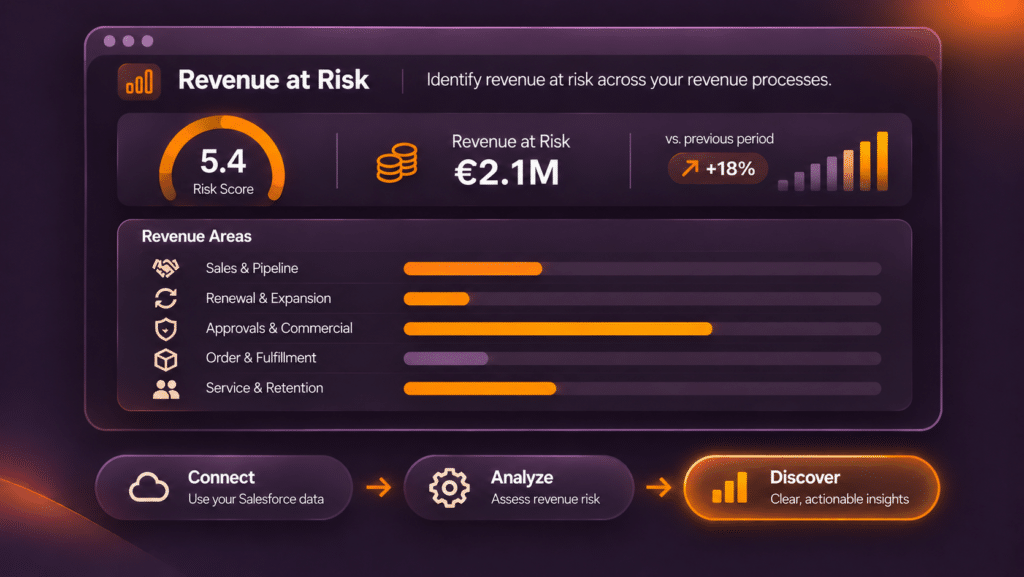
Access & Context
You'll grant read-only access to your Salesforce org, and we'll briefly discuss where you feel the numbers don't add up.
-
The Analysis
We track the entire workflow: quote, approval, contract, invoice, and the integrations in between.
-
The Findings
You can see exactly where value is being lost, why the configuration is causing it, and what it takes to fix it.
-
Your Choice
You can stop there with the report in hand, or we can work together to define the scope so we can resolve the issue for you from a technical standpoint.
All your sales data in one place
Turn insights into action
What We Check
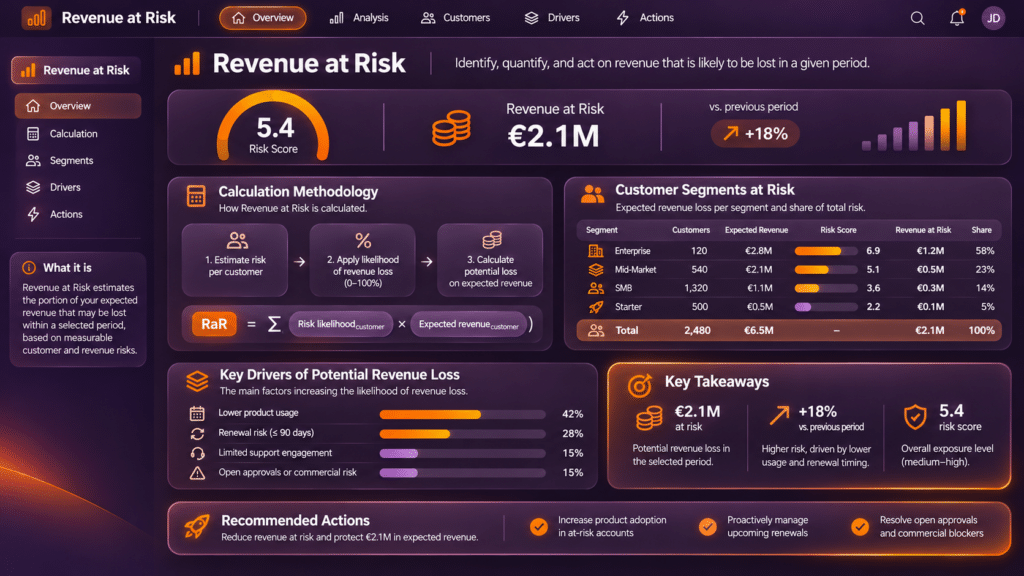
Where You're Losing Revenue
Not just a superficial health score, but direct insight into the processes.
Price & Discount
Exceptions, approval processes, and rules that have long since ceased to align with your current policy.
From Quote to Invoice
The instances where the quoted amount no longer matches the amount on the invoice.
Extensions
Price increases, co-termination, and contract changes that depend on a person's memory.
Integrations
Systems that still communicate with each other but no longer see eye to eye.
Customer Success · Engie
From 7–10 days to, in many cases, same-day processing.
How ENGIE Drastically Reduced Quote Turnaround Time Using Salesforce CPQ and Automated Sales Processes.
Previously
7–10 days
Quotation Process Turnaround Time
Nowadays, often
The same day
Quotation Process
 Matthijs Zuyderwijk
Account Manager, ENGIE Netherlands
The Difference
Why CaseNine
CaseNine focuses on a single discipline: your revenue stream and everything that stands in its way.
Understanding Before Commitment
The diagnosis always comes first.
Engineers
The experts who design the solution are also the ones who build it.
Clear scope, clear schedule
Agreed upon before a single hour is spent.
Senior expertise from day one
You'll work directly with experienced specialists who will ensure a smooth start and continuity.
When It's Appropriate and When It's Not
Good fit / Not a fit
Good fit
- Your billing systems are truly complex, and no one has identified the underlying technical risks.
- You want a clear answer before you commit to a program, whether you pay for it or not.
- You want to decide whether to address existing technical debt now or later.
- You prefer to rely on concrete findings rather than on someone's word—even ours.
- You want a second, independent opinion on an environment where you already suspect there are problems.
Not a good fit
- You've already had a RevOpsScan in recent months, and nothing significant has changed since then.
- Your systems are brand-new and not very complex. There's probably not much to find yet.
- You cannot act on the findings yourself, and no one else involved is currently able to do so.
- You need support on a platform that we don't currently support. At this time, our expertise lies with Salesforce.
- You're looking for a sales pitch disguised as a diagnosis. RevOpsScan is definitely not that.
Frequently Asked Questions
Frequently Asked Questions
How long does it actually take?
Once we start the analysis, it takes about ten minutes for your report to be ready, as soon as we’ve received the necessary basic information from you. The scan is so fast because it examines the same nine categories each time, rather than conducting a completely new analysis from scratch every time. Going over the results together usually takes another thirty minutes.
Is Revenue at Risk really completely free?
Yes, absolutely. There are no costs and no obligations involved. The findings are yours to keep, regardless of whether you decide to continue working with CaseNine.
We do this because we believe that a concrete, relevant insight is a better way to introduce ourselves than anything we could say about ourselves.
Do you also support platforms other than Salesforce?
Right now, we are fully focused on Salesforce, with expertise in sales processes, pricing, and automation.
Other platforms, including HubSpot, are on our roadmap. Our Revenue Flow Intelligence methodology is platform-independent and can also be applied to those platforms in the future.
What happens after the scan?
After the scan, you’ll receive a clear and concise report that highlights the key risks and opportunities for improvement within your revenue process.
Want to take it a step further? With Revenue Impact, we’ll dive deeper into the areas for improvement we’ve identified. We’ll investigate where revenue is being lost, what the underlying causes are, and which improvements will have the greatest impact.
What makes this scan different from a standard health check?
Most health checks identify technical issues, but that's where they stop.
Revenue Impact goes much further. We delve deeply into the areas for improvement we’ve identified and examine not only what’s going wrong, but above all why, what the impact is on your revenue, and how you can improve this in a sustainable way. Based on this analysis, we draw up a concrete Treatment Plan. In this plan, the areas for improvement are prioritized based on their impact on revenue and the effort required, and it includes targeted solutions.
Next, you decide how to proceed. You can implement the improvements on your own or use our automated solutions to address the issues efficiently and systematically. This not only gives you insight into what can be improved, but also a concrete plan to achieve tangible results.